How to make yourself look older with AI
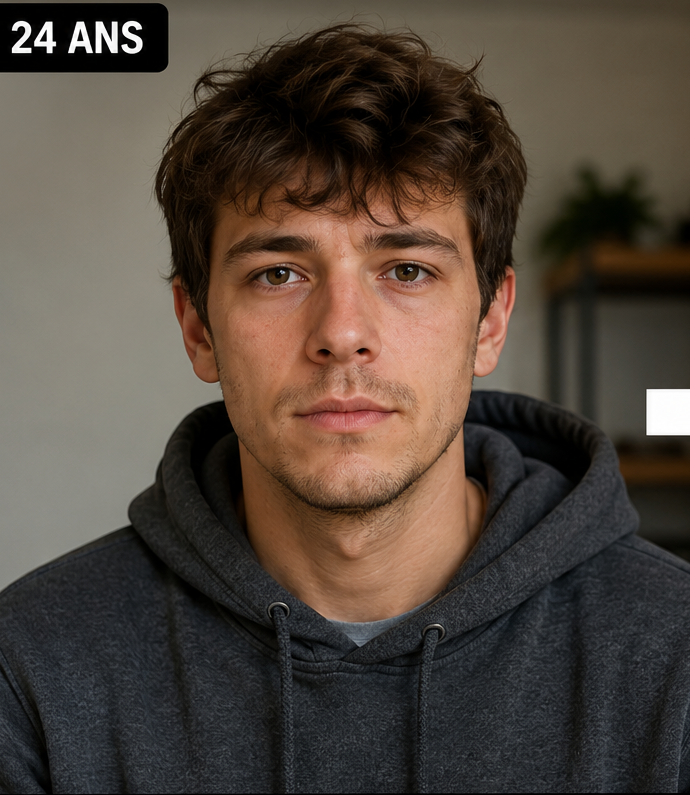
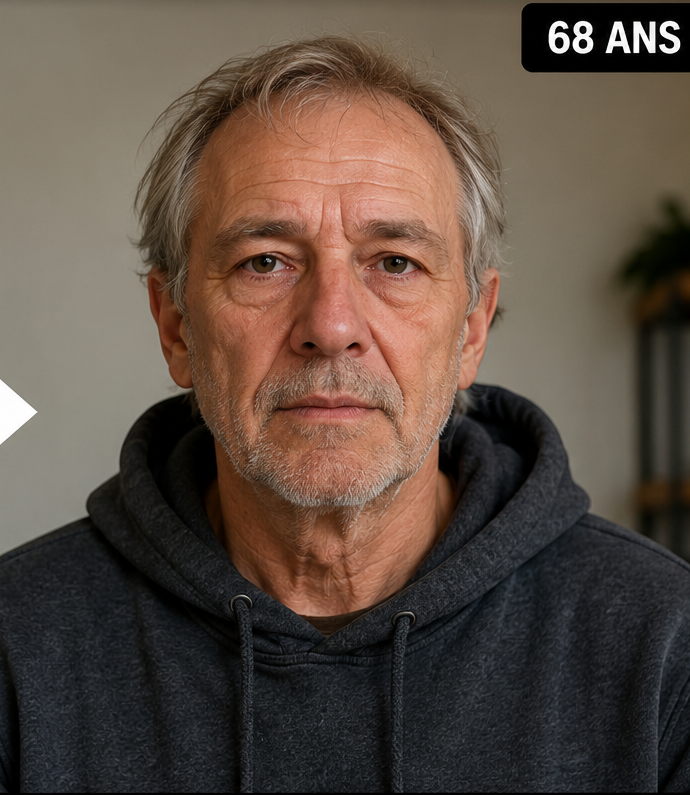
Choose a clear source portrait and open the free demo. Select the target age, generate the preview, and compare it with your original. You do not need to write a prompt or move editing sliders.
If you want several versions, continue in the full Web App. Generate ages separately from the same source photo so you can compare the strength of the change without introducing a new pose or lighting setup.
1
Upload
Use a clean portrait of one person.
2
Choose the endpoint
Pick the exact age you want to appear.
3
Compare
Decide whether the result looks older and still looks like you.
Choose the right amount of age change
If you want a subtle result, choose a target that is relatively close to your current age. For a clear future-self transformation, 60 can be a useful checkpoint. For a stronger old-age image, 80 or 90 creates a much larger visual difference.
There is no universal “best” target. The right age depends on whether you want realism, dramatic contrast, or a multi-stage timeline.
Common reasons an AI older-face result looks wrong
Identity drift is one cause: the output looks like a believable older person but not the same person. Another is poor input quality, such as blur, heavy filters, blocked facial features or a face that is too small in the frame. Extreme expressions can also make the before-and-after harder to compare.
When the result fails, change one variable at a time. First try another generation from the same strong source. If the identity still drifts, choose a cleaner portrait rather than changing several settings at once.
Create a better before-and-after comparison
Use the original photo and generated result side by side, with similar crop and orientation. The comparison should make it easy to see both the age effect and the preserved identity. For a social post, adding one intermediate age can make the transformation more credible and visually interesting.
Keep the caption accurate. The image is AI-generated, so phrases such as “AI showed me at 80” or “age-progression simulation” are clearer than presenting it as a real future photograph.
Older-looking does not mean predicted
The AI is editing visible appearance based on the source portrait and target age. It cannot know future health, habits, environment or other personal factors that affect real aging. Even a result that looks extremely convincing should be treated as a creative simulation.
This distinction matters because the strongest generative images can feel photographic. Visual realism is evidence of image quality, not evidence that the future has been predicted.
Questions people ask about this AI age preview
Can AI make me look older from one photo?
Yes. Upload one clear portrait and choose the future target age you want to visualize.
Can I make myself look 60, 80 or 90?
Yes. Face Aging Studio supports target ages up to 100.
Is there a free preview?
Yes. The free demo provides one limited watermarked generation without an account.
What should I do if the result does not look like me?
Compare core facial features, regenerate from the same photo, and use a clearer source if identity drift continues.
Can I download the full result?
The full Web App provides continued generations and downloadable results using credits.