
AI Face Aging Tool: See Your Future Face Online
Face Aging Studio is an AI face aging tool and face aging software for creating age-progression portraits from a clear photo. Try face aging online, explore how you may look in the future, choose a target age up to 100, and continue in the full Web App or Windows app.
 Before
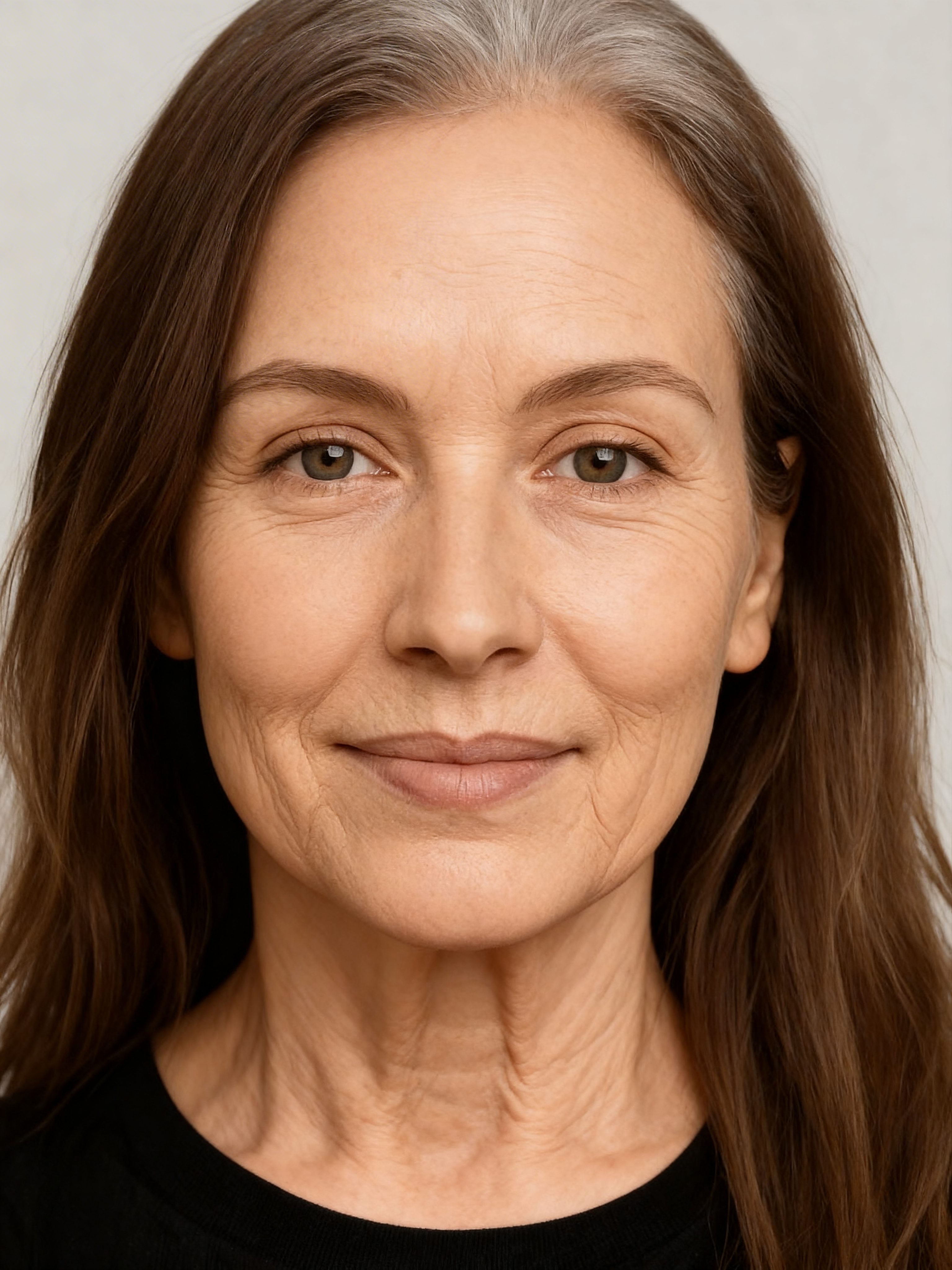 AI age progression
What is AI face aging?
AI face aging, also called age progression, is a visual transformation that creates an older-looking version of a face from a photo. Face Aging Studio is designed for people who want to explore a future-face simulation, create before-and-after images, or build age-progression content for personal and creative use.
The result is an AI-generated simulation, not a medical or scientific prediction of exactly how a person will look in the future. Real aging depends on many factors an image generator cannot know in advance.
Try face aging online with one free demo
The free demo is the fastest way to try Face Aging Studio. Upload or take a clear portrait, choose the age you want to visualize, and generate one limited preview. The demo result includes a watermark and is intended as an evaluation preview.
- No account is required for the demo.
- Choose the target age for the preview.
- The free preview is limited to one use per device.
- Continue in the Web App for full results without the demo watermark.
Use the full mobile Web App in your browser
The full Web App runs directly in your browser and uses your Face Aging Studio account and credit balance. On mobile you can take a selfie or choose a photo, crop it, select ages and generate without installing a mobile app.
- Account login and shared credit balance.
- One generated age uses one credit.
- Choose from one to five ages in a generation batch.
- Stripe checkout, with MobilePay when available.
- Download generated results without the demo watermark.
Prefer desktop? Use Face Aging Studio for Windows
Face Aging Studio is also available as a Windows desktop application. The Windows version uses the same Face Aging Studio account, so your credits are not tied to one access method.
How to get a better AI aging result
Use a clear portrait
Choose a sharp image with one face clearly visible.
Keep the face easy to see
Front-facing or slightly angled portraits usually give the AI a cleaner starting point.
Try several ages
Build an age-progression timeline instead of relying on one image.
Treat the result as a simulation
AI can create a plausible transformation, but it cannot know your real future appearance.
Free demo vs full Web App
Free Demo
Best for a quick first look: one free watermarked preview and no account required.
Try the free demo →Web App
Best for continued use: account, credits, several target ages, downloadable full results and browser access.
Open the full Web App →Questions about AI face aging
Can I age my face online for free?
Yes. Face Aging Studio offers one free demo preview with a watermark. Continued generations use credits.
Can I choose an exact age?
You can choose a target age up to 100. The generated image is an AI interpretation, not a guaranteed prediction.
Do I need to install an app on my phone?
No. The full Web App runs in your mobile browser. A Windows desktop version is also available.
How many credits does one image use?
One generated age uses one credit. Each age in a multi-age batch counts as one credit.
Is this the same as a simple old-face filter?
The goal is similar, but Face Aging Studio lets you choose target ages and create separate AI-generated age-progression images.
Is Face Aging Studio face aging software?
Yes. Face Aging Studio is face aging software, also searched as face ageing software, available as an online Web App and a Windows application.
How will I look in the future?
The AI age progression tool can create an older-looking simulation from your photo so you can explore a possible future appearance at selected ages.
See your future face with Face Aging Studio
Start with the free preview, then continue in the full Web App when you want more ages and downloadable results.