How to generate your future face
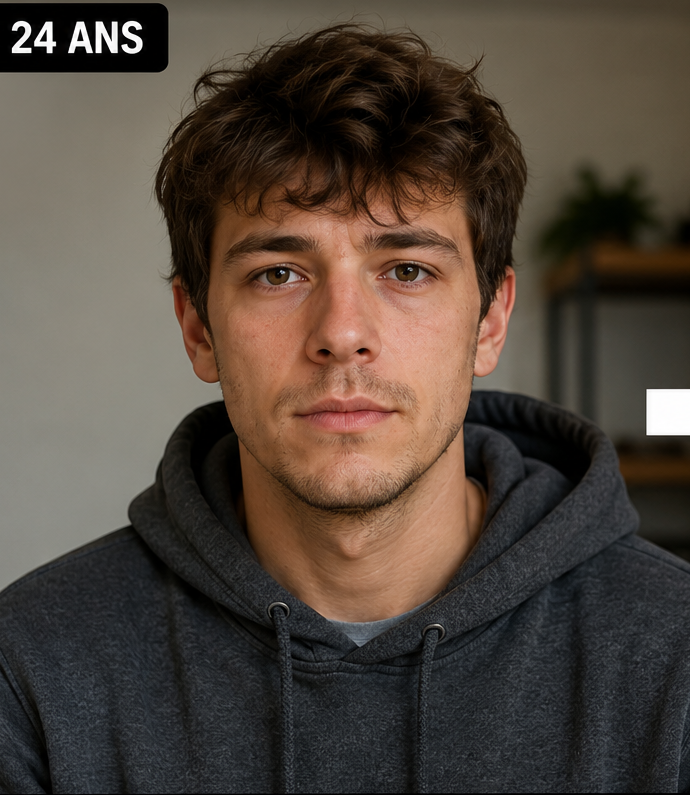
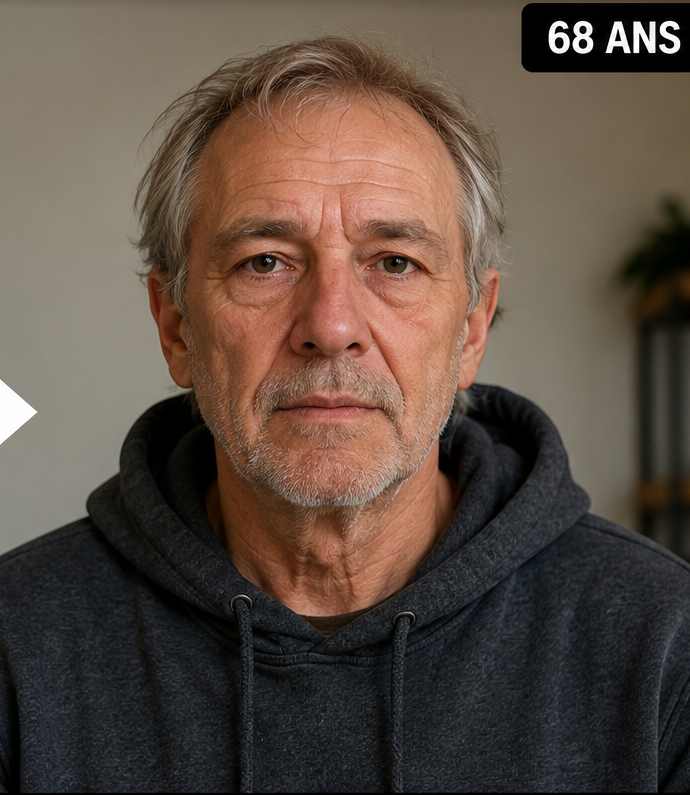
Start with one portrait where your facial features are clear. In the free demo, choose the future age you want to see and generate one limited watermarked preview. For more stages, continue in the full Web App and reuse the same original image.
Choosing a specific target age makes the result easier to understand. Instead of a vague “future me,” you can compare yourself at 60, 80 or 90.
1
Upload your current portrait
Use one sharp, clearly visible face.
2
Choose a future age
Select a precise checkpoint up to age 100.
3
Build the timeline
Generate additional ages if you want to compare future stages.
Future face vs future-life visualization
A future-face generator changes age-related appearance. A future-life visualization changes the context around you—for example career, travel or lifestyle scenes—without necessarily aging the face. These are different creative tasks.
If your question is “what could my face look like when I am older?”, age progression is the relevant workflow. If your question is “what could my future lifestyle look like?”, a scene-generation product is a different category.
Keep your future self recognizable
A useful future-self portrait should preserve the identity you recognize today. Compare the eye region, nose, mouth, jaw, chin and overall facial proportions before evaluating the older-age details.
This is especially important at large target ages. The model may create strong wrinkles, grey hair or changes in facial volume, but those details should not replace the underlying person.
Use more than one future checkpoint
A single age can answer a simple curiosity question, but a sequence gives more context. Age 60 can act as a moderate checkpoint, age 80 as a strong older-age transformation, and age 90 as a more extreme extrapolation.
Reusing the same source photo across the sequence makes it much easier to compare how the identity changes. It also creates a stronger visual story for before-and-after or social content.
Treat the future self as a simulation
One portrait cannot reveal the personal and environmental factors that will shape your real appearance over decades. The generated image is therefore best understood as one plausible visual interpretation of a selected age.
That framing keeps the experience both useful and honest: you can explore the idea of your future face without pretending the model has access to future facts.
Questions people ask about this AI age preview
What does a future self generator do?
In Face Aging Studio, it creates an older-looking version of your face at a selected target age.
Is it the same as a future-life generator?
No. This tool focuses on age progression of the face rather than generating imagined future career or lifestyle scenes.
Can I choose multiple future ages?
Yes. The full Web App supports multiple target-age generations from the same portrait.
Is my future face guaranteed to be accurate?
No. It is an AI-generated simulation, not an exact prediction.
Can I try it for free?
Yes. One limited watermarked demo preview is available without creating an account.