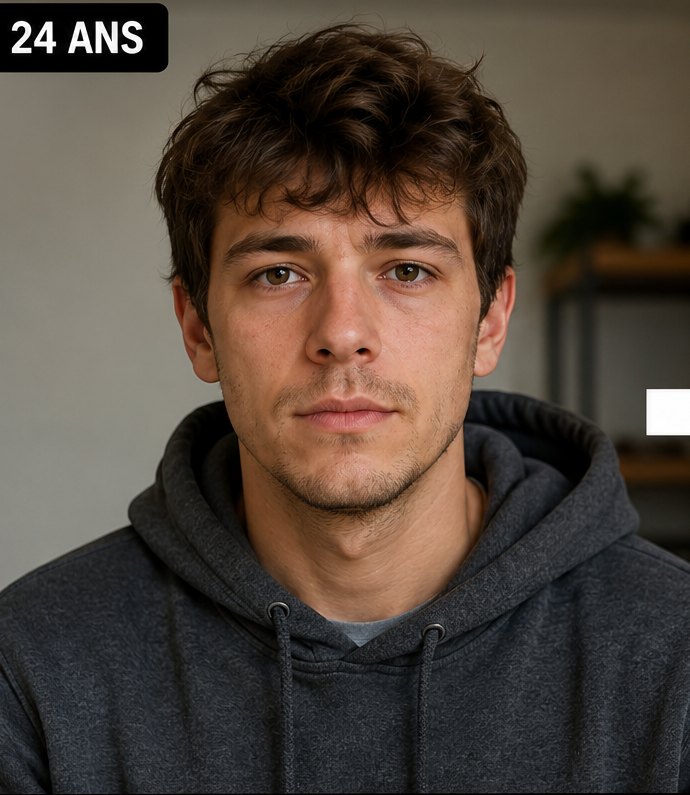
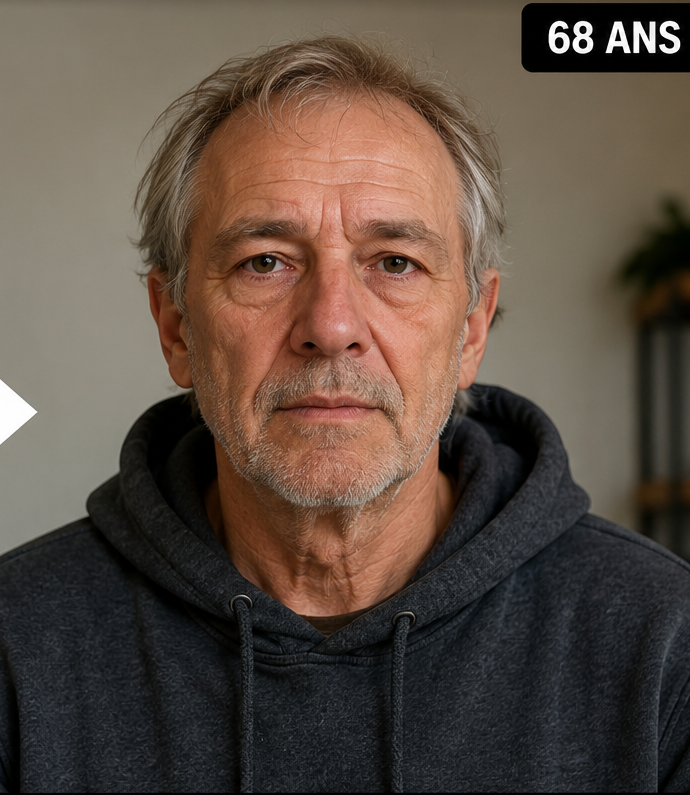
How a face age progression generator is used
Begin with a reference portrait. The generator uses that image as the identity anchor, while the selected target age defines the requested transformation. In Face Aging Studio, you can test one age in the free demo and continue with multiple ages in the Web App.
For a useful evaluation, keep the reference image fixed. If you change both the photo and the age at the same time, it becomes difficult to separate age progression from normal differences in lighting, pose and expression.
1
Reference portrait
Keep one source image as the identity anchor.
2
Target ages
Choose specific checkpoints such as 60, 80 and 90.
3
Human review
Compare identity, age plausibility and visual artifacts across the set.
The core technical problem: age change without identity loss
Generative image editing has to make enough visual change for the requested age to be obvious while avoiding unrelated changes to the person. That creates a practical trade-off: too little editing and the subject barely ages; too much editing and the model may produce a convincing older stranger.
For product QA, identity should therefore be scored separately from realism. A realistic image is not automatically an identity-consistent age progression.
A practical identity-consistency checklist
Inspect global face shape, then the eye and brow region, nose, mouth, chin and jaw. Compare relative spacing rather than isolated details. Next, inspect age cues such as skin texture, hair changes and facial volume. Finally, check local problem areas around teeth, ears, glasses, hairlines and facial hair.
If you are reviewing multiple target ages, check sequence continuity as its own criterion. A set can contain individually good images that still fail as a progression because the apparent identity changes from one frame to the next.
Why multiple ages improve evaluation
Intermediate ages provide additional evidence about the transformation. If a source portrait goes directly to age 90, you only see the endpoint. Adding 60 and 80 lets you see whether the model changes the person gradually or introduces a sudden identity shift.
This is also useful for content creation because a multi-age timeline tells a clearer visual story than a single before-and-after.
What the generator cannot determine from a portrait
No face-aging generator can know a person’s future lifestyle, health, environment, hairstyle choices, medical history or countless other factors that will shape real appearance. The output should therefore be treated as a generative interpretation of a target age.
That limitation does not make the tool useless. It simply defines the right question: “Can this model create a plausible age transformation of this portrait?” rather than “Can this model predict the future?”
Questions people ask about this AI age preview
What is a face age progression generator?
It is an AI image tool that creates one or more older-looking versions of a face from a reference portrait and selected target ages.
What should I evaluate besides realism?
Identity consistency, age plausibility, expression changes, local artifacts and continuity across multiple ages.
Can I create multiple ages?
Yes. The full Web App supports multiple target-age generations from the same source portrait.
Does one generated age use one credit?
Yes. Each target age generated counts as one credit.
Is this a forensic or medical prediction tool?
No. Face Aging Studio creates generative visual simulations for personal and creative use.